This continues from How Databases Store Data on HDD and SSD, and uses the same example: an employee table of 1000 rows (64 bytes each), 8 KB database pages with 8060 usable bytes, and 4 KB disk blocks. Without an index, finding one row may require scanning all 8 pages (16 blocks).
For practical tips on choosing indexes, see Database Indexing Best Practises.
Indexing
Now imagine if we had a table of size 100000, and if we had to find the last record then we had to read all the → 800 pages, that’s 1600 OS blocks worth of data to scan. As table size grows, a full scan requires reading more and more pages, which increases I/O cost.
The number of blocks we need to access is directly proportional to the read access time. So we need to reduce the number of block access.
That’s where indexing comes in.
Let’s index the table on employee id
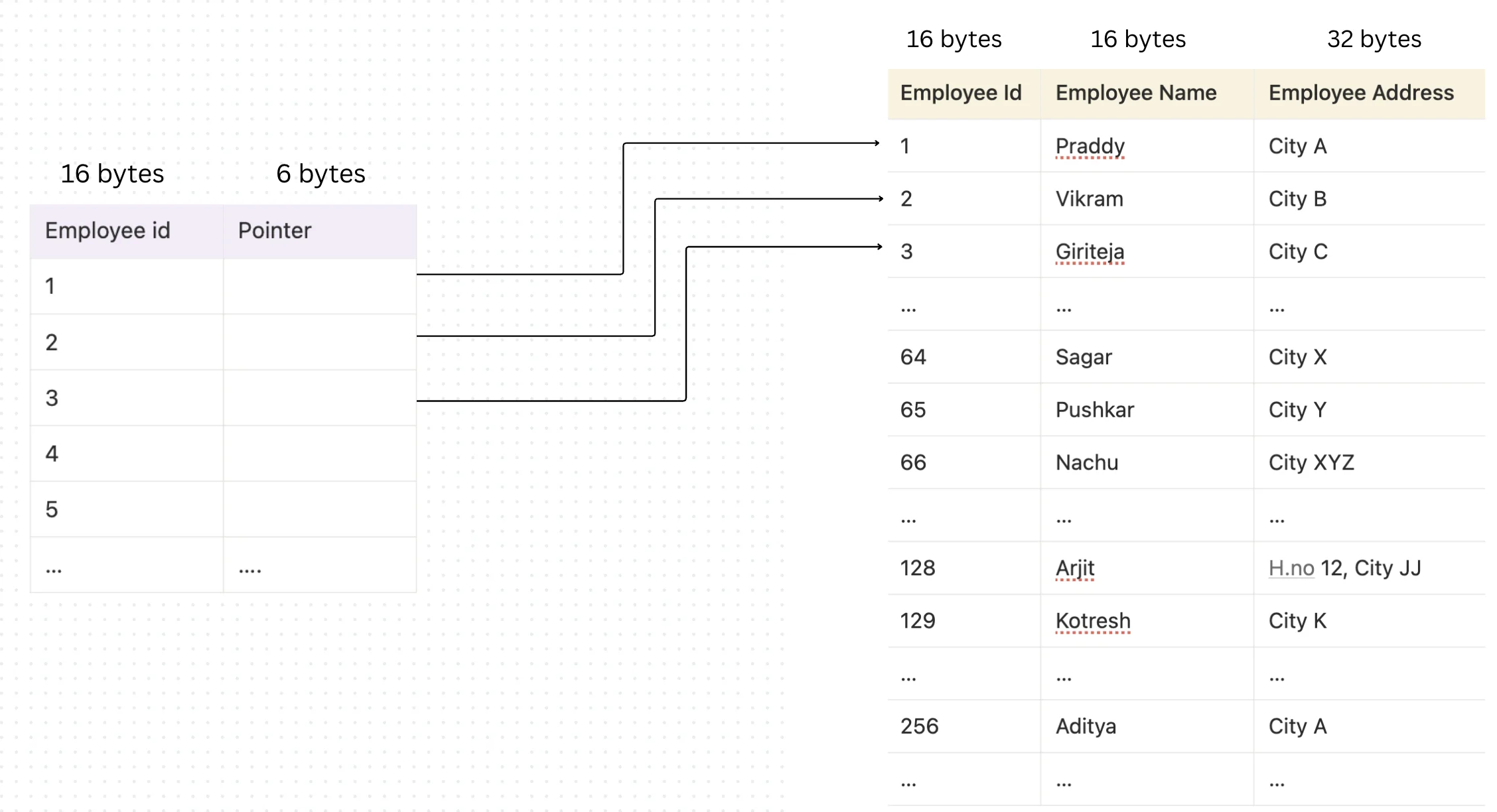
The next question comes as to where would we store the index table?
The index table also would be stored on the disk.., so how many blocks would it take?
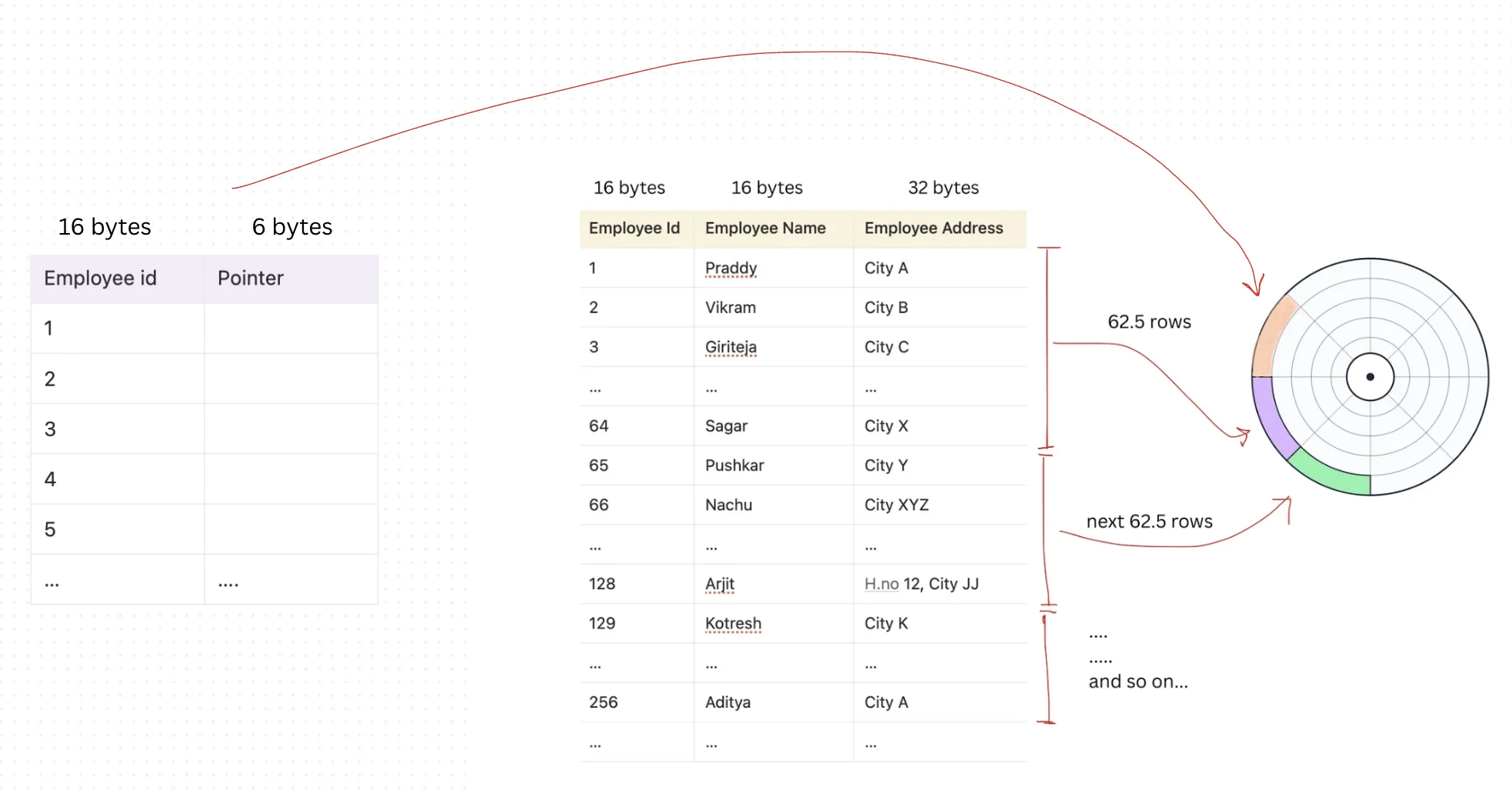
Employee id    → 16 bytes
Record pointer → assuming 6 bytes
Total bytes of one row = 22 bytes
The number of rows in one page = 8060 / 22
                               = 366.3 ~ 367

Number of pages required to cover all rows of the index = 1000 / 367
                                                        = 2.72 ~ 3 pages
So the index table would take at most 6 OS blocks.
Now the best part is: to access the index, at maximum we may read 6 blocks (3 pages). Once we find the key, we get its pointer and in a real database that pointer usually does not point directly to the “row object.” Instead, it stores something like:
(Page ID, Slot Offset)
Meaning:
- Jump to the correct data page that contains the row
- Use the page’s slot directory to locate the exact row inside that page
So after the index lookup, we only need to read 1 data page (≈ 2 OS blocks) to fetch the row.
So the total blocks needed becomes:
6 blocks (index) + 2 blocks (data page) = 8 blocks
So the drastic change we saw is: without index we may read 16 blocks (8 pages), and with an index it may drop to 8 blocks (~4 DB pages).
Multi-Level Indexing
So far, our index only had 1,000 entries. It fit into just 3 pages (6 blocks).
But what if the table had 1 million records?
Now the index would also grow proportionally.
- If 1,000 rows → 3 index pages
- Then 1,000,000 rows → 3,000 index pages.
- That’s: 3,000 pages × 2 blocks = 6,000 OS blocks
Now imagine searching for an employee ID inside such a large index. If we had to scan the entire index page by page, we would again be reading thousands of blocks.
So the index itself becomes expensive to search.
So to solve this, we don’t scan the entire index.
Instead, we build an index on top of the index. Think of it like this:
We group the 3,000 index pages into ranges.
Then we create a small “guide index” that stores:
- First employee_id in each index page
- Pointer to that index page
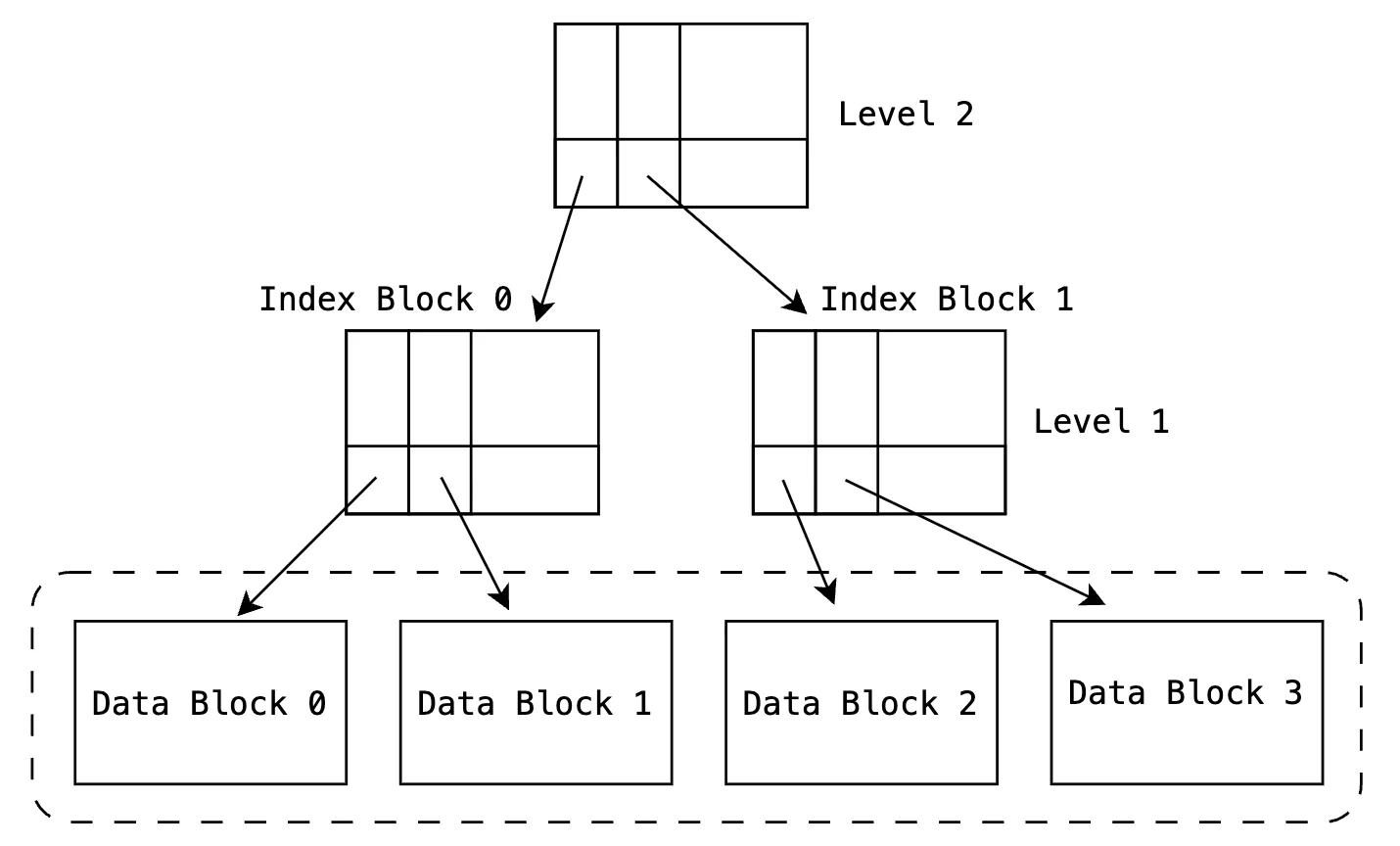
Now instead of scanning 3,000 index pages:
- We first read the small guide index.
- It tells us which index page to go to.
- Then we read that specific index page.
- Then we read the actual data page.
So instead of scanning thousands of pages, we now read only:
- 1 guide index page
- 1 lower-level index page
- 1 data page
That’s just 3 pages total.
If we keep adding more records, we can keep adding more “guide levels”.
This naturally forms a tree-like structure.
Instead of manually managing multiple index layers, databases use a self-balancing tree structure that:
- Automatically grows when data grows
- Automatically reorganizes itself
- Keeps search cost logarithmic
This structure is called a B-tree (or more commonly in databases, a B+ tree).